
Why I Bought One

I’m pretty new to screenless graphic tablets. I've been a long-time fan of my Samsung Galaxy Tab S6 Lite, which I have used for around four years. It's chugging along, but it’s not really capable of doing anything more demanding than being a multimedia and online meeting machine anymore.
And ever since I got my new laptop, I have lurked in this product category for a good while. I actually bought a different one before this in January last year. It served its purpose, but it was too small, especially when my workflow had changed as 2D animation and game design became part of my curriculum.
What You Get In The Box
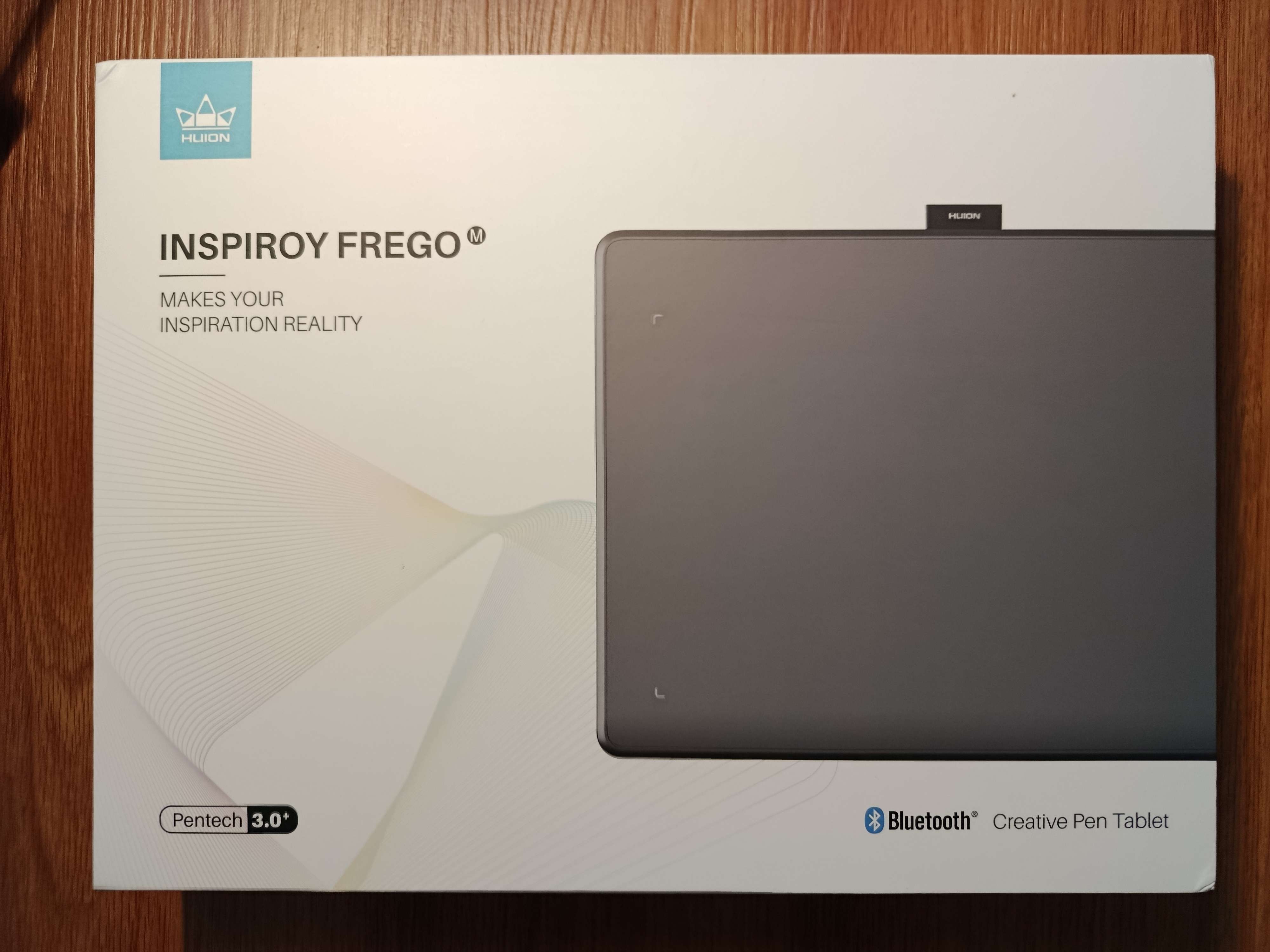
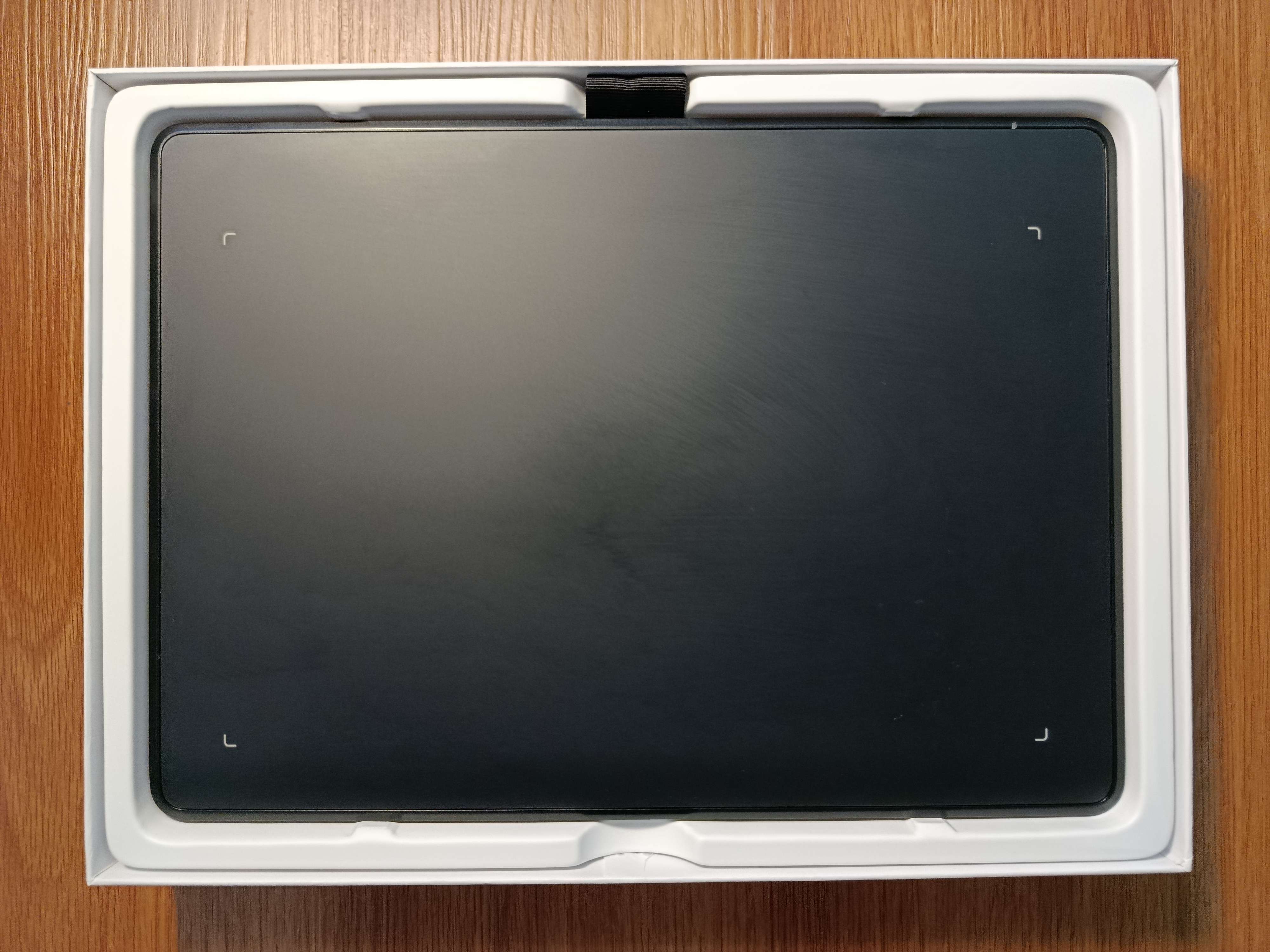
The Frego M comes in a typical white colored box, pretty common with Huion devices in this range, based on what I’m seeing on other reviews. You'll be greeted by the tablet itself, and pulling that out will reveal the accessories to get you up and running.
Do note I already unboxed this four months ago. The pen and cable came wrapped in plastic, but I don’t have them now.
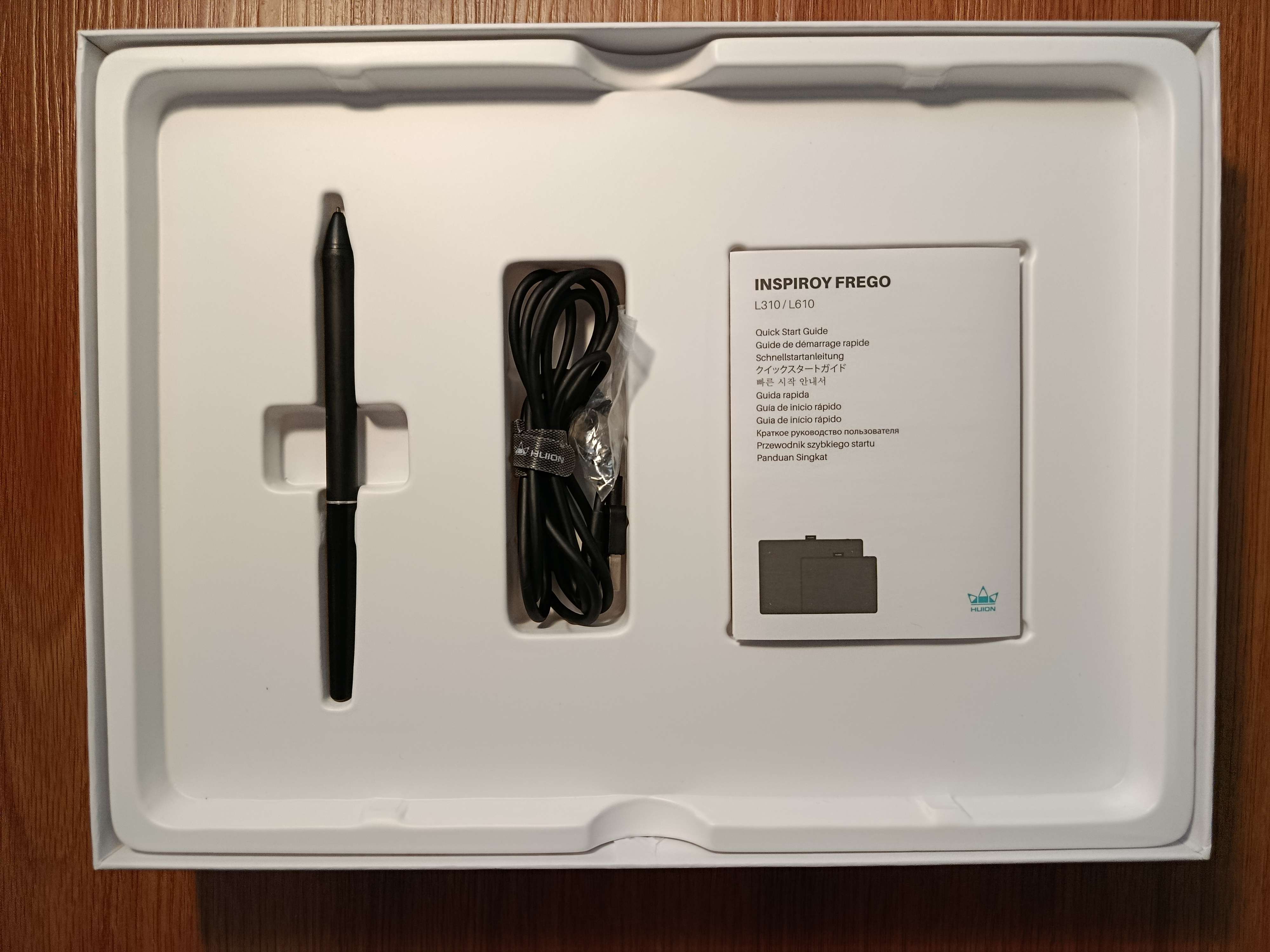
- Tablet
- Charging cable
- Pen
- Spare nibs
- Instruction/Warranty booklet
Setup and the HuionTablet Software
Updated 24/03/2026 (DD/MM/YYYY)
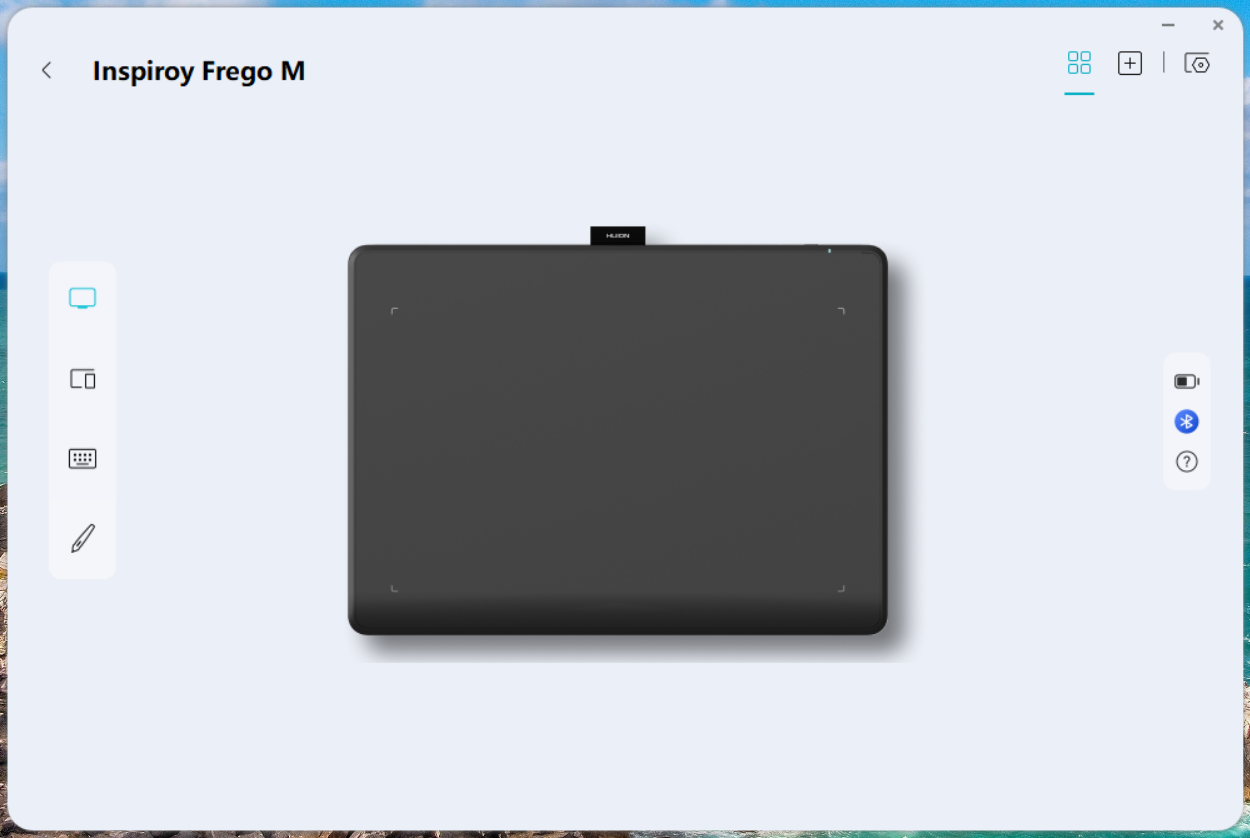
If you're on Windows, this is important as pen pressure and tilt won't be detected without it. Download and install the drivers for the Inspiroy Frego M on the Huion website, then connect the device either through Bluetooth or the charging cable.
Looking at the driver software, it looks modern and competent. You get your usual settings on mapping the drawing area, assigning to a monitor, pen pressure settings, assigning shortcuts to a specific program, and even a virtual shortcut panel feature. There really is nothing to talk about here.
If you're on Linux you can probably skip this step, go to the Linux Support chapter of this article to learn more.
Drawing Experience
Now I am far from being an expert with the technicalities here, but after watching a lot of tablet reviews, I'll try my best. I am testing this with Clip Studio Paint EX 4.0.0 using the Real G-Pen brush and stabilisation set to 0.
Drawing with the Pen
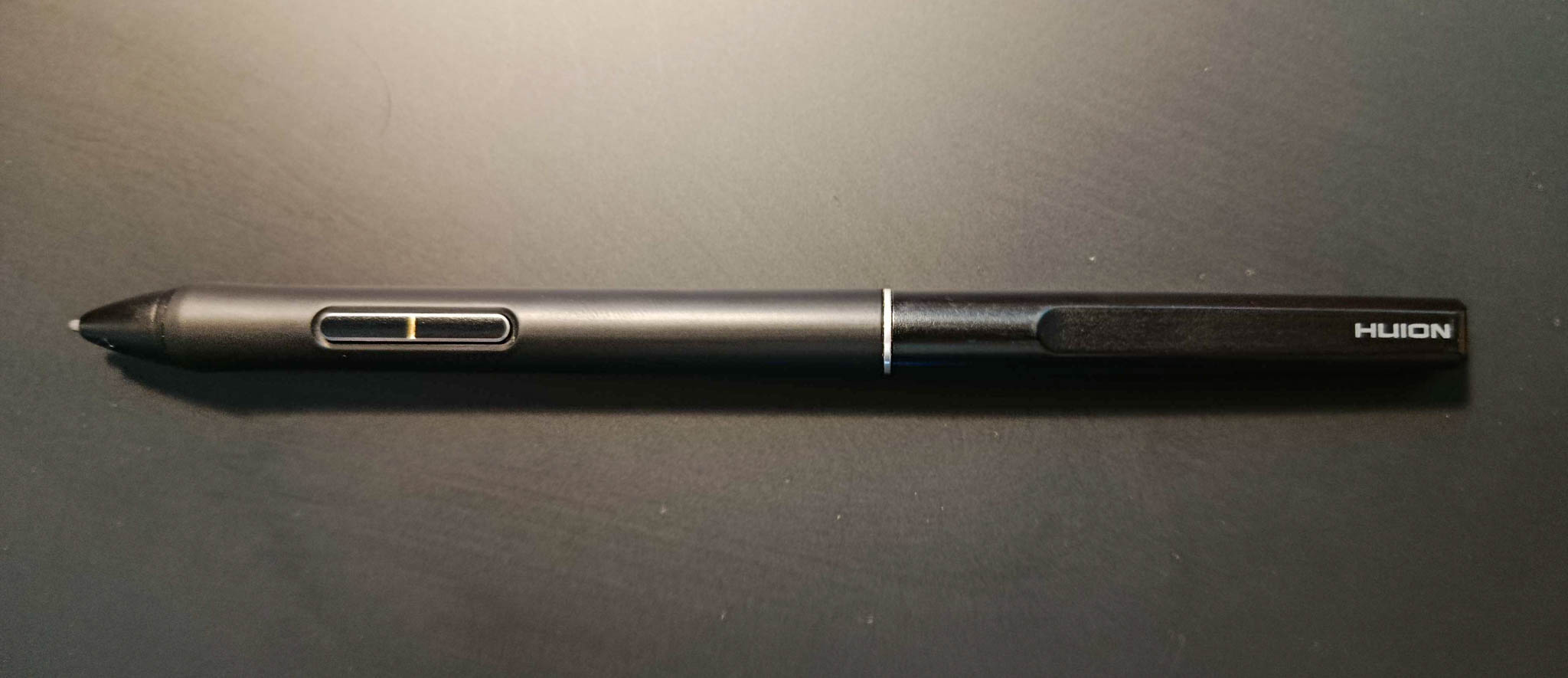
The tablet comes with the PW550S PenTech 3.0 Pen (what a mouthful). It has an initial activation force (IAF) of 3gf, which is standard according to the Notes from TheSevenPens. In real-world terms, you don't need to press noticeably hard to draw; think of it as drawing with a ballpoint pen. Unless you're trying to mimic the experience of soft graphite and charcoal, you're gonna be fine with this.
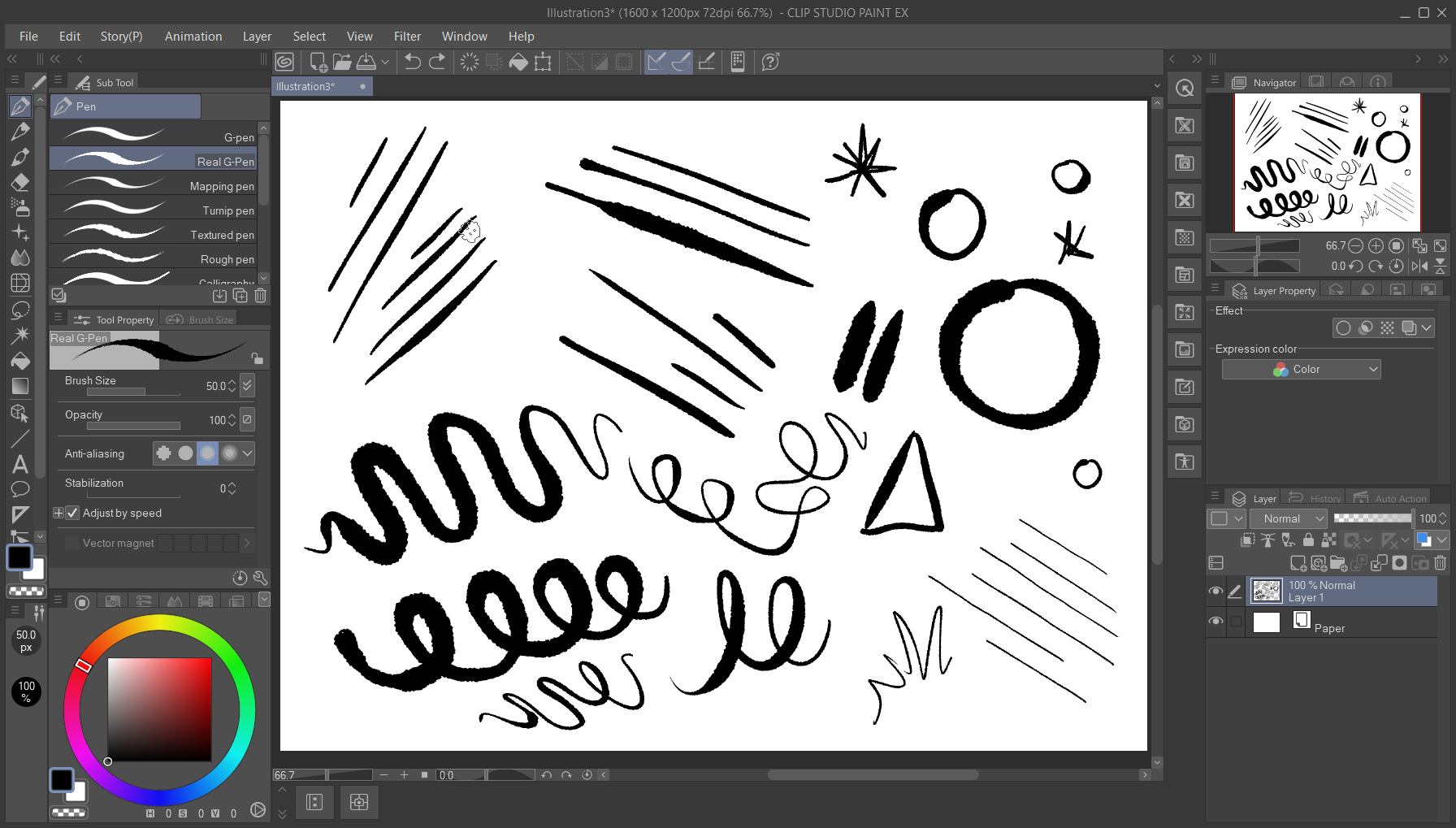
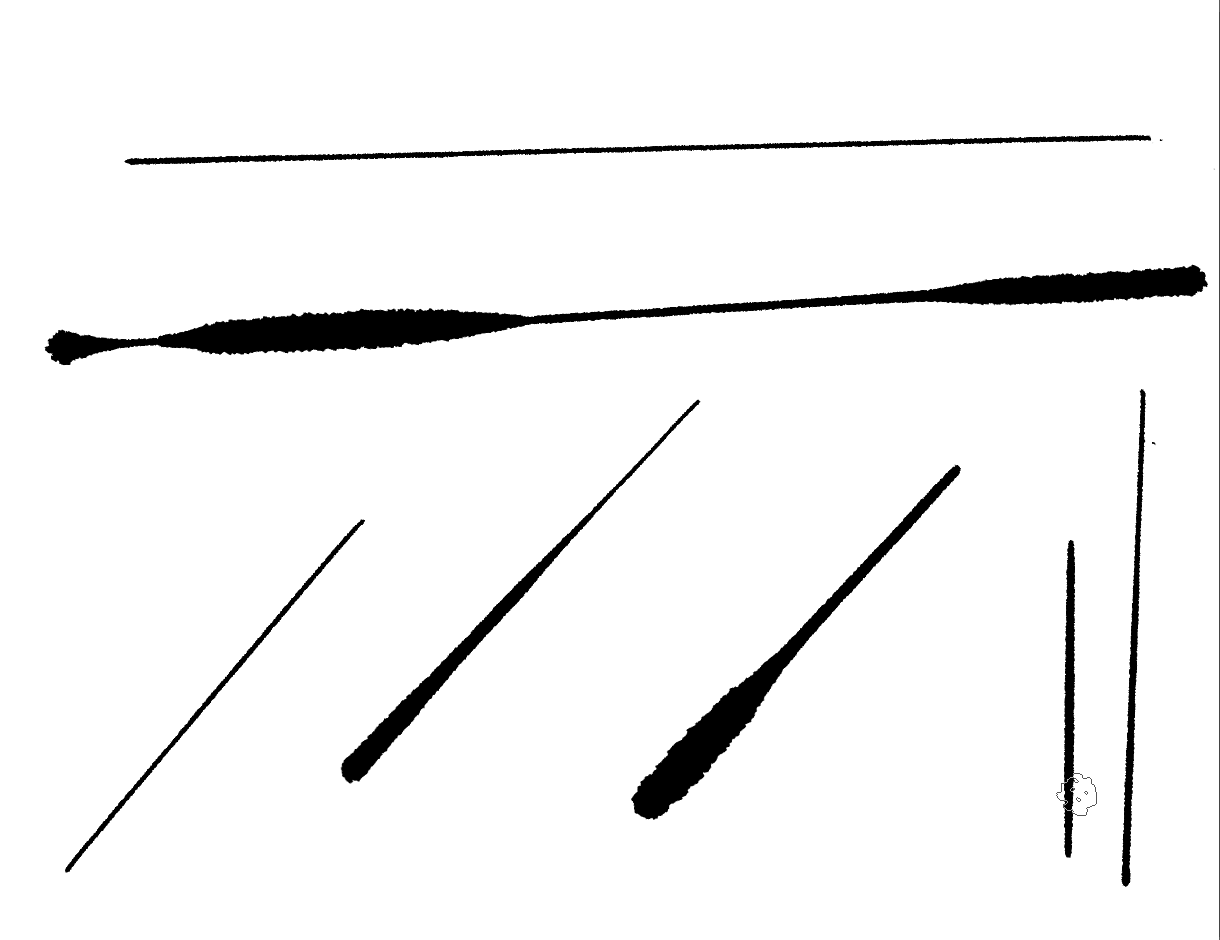
Pen pressure is also standard at 8192 levels, transition between light and heavy strokes felt smooth and predictable, nothing unexpected. As for line wobbles, it can pick up wobbles from my hand, but that’s common with other tablets, too. With a physical ruler, I see no mechanical wobbling here.
Surface and Pen Nibs
The drawing surface Inspiroy Frego M is matte. Huion includes a felt nib pre-installed and more spare hard plastic nibs in the box. Felt nib feels grippier and nicer on the tablet surface, sadly it squeaks like chalk-on-chalkboard, and oh sweet Jehovah that gave me GOOSEBUMPS. The plastic nib is less grippy but still decent. It comes down to preference, but I'd recommend swapping to the hard plastic nibs if you don't like the squeaking.
I tried getting used to the noise goodness, no, I couldn't, every few minutes I would feel goosebumps on my skin because the nib would act funny against the surface. I do not like it.
Connection and Latency
For the entirety of my usage, I've always used the tablet in Bluetooth mode, and latency is barely noticeable and is responsive, but the perception of latency will vary with the brush or program. In my testing and for the four months using it, I don't see it as an occurrence. When connected via cable, the latency appears to be equal to when using it in Bluetooth mode.
Linux Support
Updated in 24/03/2026:
Added this section regarding Linux support.

In my first revision, I concluded that Linux support was limited to wired connetions only, partly because Huion's website lists Ubuntu 20.04 LTS with a wired connection only, and also partly because their Linux driver (and OpenTabletDriver) don't support Bluetooth. What I did not realise at the time was that Bluetooth support for this tablet works fine on Linux — it was the drawing area mapping that was the real issue.

When I first tested this on Fedora Workstation 43, the tablet's drawing area was only mapping to the size of a phone screen on both wired and wireless connections. This same behavior happens on Windows without Huion's driver running, which lead me to wrongly assume Linux Bluetooth support was broken rather than just a misconfiguration on my end.
After coming across a Reddit post mentioning you can reset the drawing area to its full size at a hardware level by double-pressing the pairing button, I booted Fedora 43 back up and tested both wired and wireless connections without any of the mentioned drivers on whatever version of Krita came included in Fedora's package repositories. It worked... great! — the drawing area mapped correctly, and pen performance for tilt, pressure, and delay was on par with Windows.

Pairing over Bluetooth on Linux is just as straightforward as it is on Windows, though it might depend on what desktop environment you're using, I tried this on GNOME and KDE Plasma and it was as simple as pairing them on their Bluetooth applets or settings menu.

They do include a few options for graphic tablets in their own settings applications but if they feel limiting, you will have to resort to Huion's Linux driver or OpenTabletDriver — though just keep in mind that neither of these support wireless connections.
Android Tablet Support
Updated in 24/03/2026:
Updated this section as more testing has been done.

I tested this on my Samsung Galaxy Tab S6 Lite running OneUI 5.1 on Android 13, other reviewers suggested to use supported apps like HiPaint to maximise the drawing area in landscape orientation, but my results were noticeably poor — pen delay was severe, and a lot of the brushes didn't support pen tilt. The drawing area issue for this specific version of either OneUI or Android 13 persisted regardless, and that is even with forcing the drawing tablet to maximise the full width.

On LineageOS 23.2 on Android 16 without HiPaint, I was able to maximise the drawing area in landscape and use other drawing applications, upon testing with Infinite Painter using Proko Pencil. Pen pressure, pen tilt, and delay were on par, just as good as on PC. Though as a general user, you definitely won't be running LineageOS anyway so... Pretty pointless.

If you're planning to pair your phone to this drawing tablet, you can double-press the pairing button to map it to a phone size, it works as well as already mentioned.
Overall, Android support is gonna be mixed and I really wouldn't recommend this setup. Honestly it still feels like a gimmick and I would pray that Google would something to improve this as they're replacing ChromeOS with Android soon.
Hardware
Build
Both the pen and tablet are made of plastic, and they are quite lightweight; the tablet weighs approximately over 500 grams, while the pen weighs similarly to a ballpoint or mechanical pencil. Overall, very portable and pretty lightweight, easy to chuck in a bag and carry on a commute.
Ergonomics
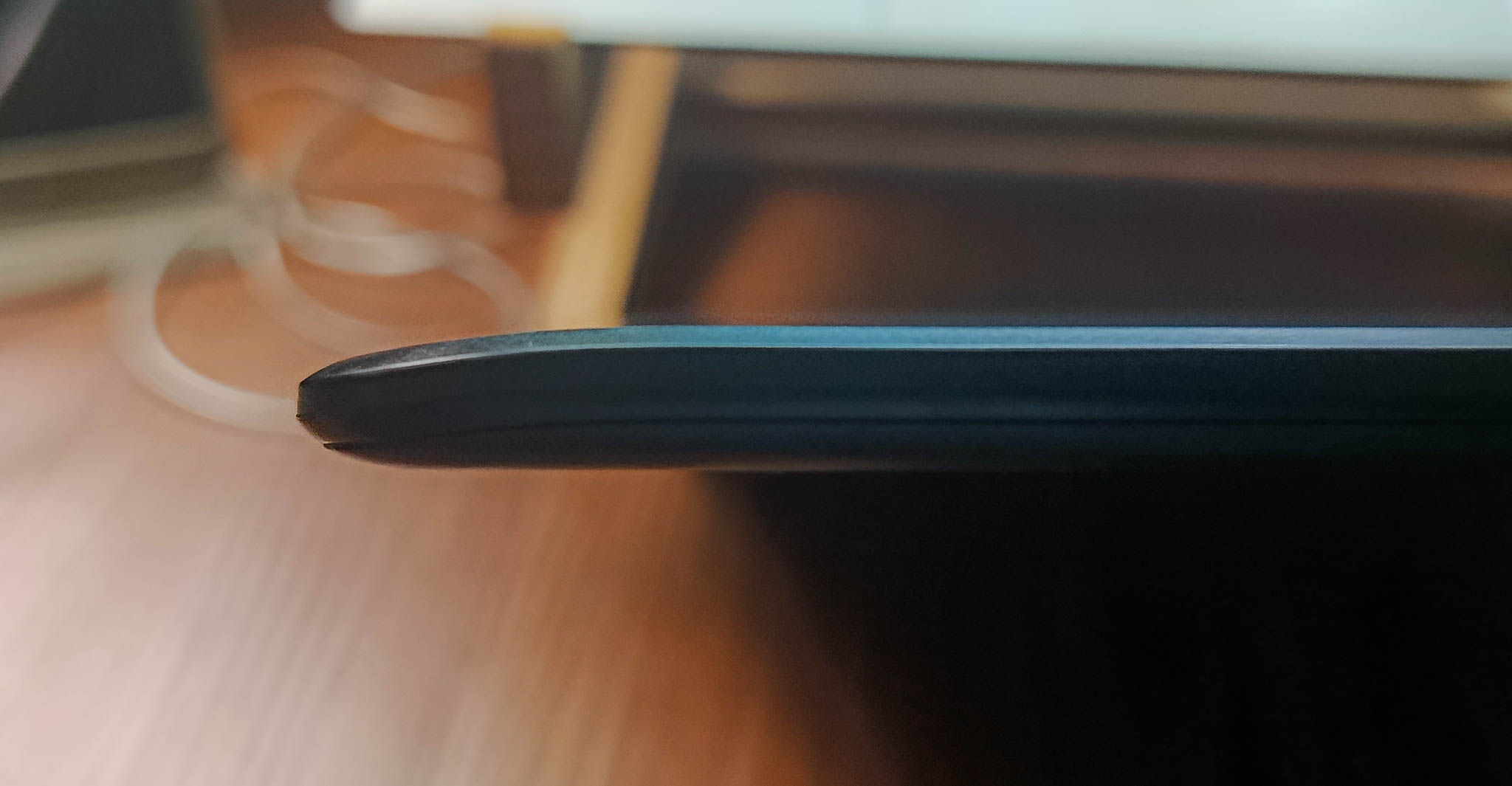
The tablet has a slope on the bottom for ergonomics when you place your hand down there. Honestly, a great addition, and I can't wait to see more tablets do this in the future. The pen is slim and reminds me a lot of my Pilot pen that I use to sketch in my sketchbook; it feels good in the hand.
Battery Life and Charging Speed
Since this is a Bluetooth-capable device, Huion boasts that this device lasts up to 24 hours with a 1,300mAh cell. For my testing and long term usage, I'm getting somewhere around that. I would charge my tablet once, and it would last around two to three days of 6-8 hours of use. For me, it's more than enough. If it gets low, a USB-C cable can charge this device.
Charging takes a good while; for me, it took two hours, from it blinking red to going green. Nothing impressive, but I think it's a bit slow.
Stuff I Don't Like
Updated in 24/03/2026:
There used to be a section for half-baked Linux support but that was removed as there is now a dedicated Linux support section with further testing involved.
Not great on Android tablets in landscape orientation.
This isn't particularly Huion's fault but rather Android or whatever manufactrer skin that did this. If paired to a phone in portrait mode it's fine, on Android tablets in landscape, it's not good.
Unpredictable Cursor Glitch
I’m unable to replicate or pinpoint the cause, nor to determine whether it’s a defect with the device on my end. The cursor would glitch on hover, and even pressing down wouldn’t stop it, but lifting the pen or getting it out of the tablet’s sensing height would fix it. It’s an issue that would appear numerous times.
I’m not sure if a driver update from Huion would fix it, but regardless, it’s not a deal-breaker to me; it’s something I face quite frequently enough that I needed to mention it here.
No Shortcut Keys
This product doesn’t have shortcut keys. But this may come down to preference, I often see in promotional materials that Huion pairs this device with their Keydial K series shortcut remotes. I am not paying PHP 2,300+ for a shortcut key accessory, even though I would want to.
Slow Charging
Huion says it takes around 2.5 hours to charge with a 5 Volt 1 Amp charger, which is accurate. Because charging this thing is slow as molasses. You can still use it while it’s connected and charging at the same time, but really, it’s just too slow for me. Just make sure you have a Type C charger or cable with you when you take this thing outside.
Verdict
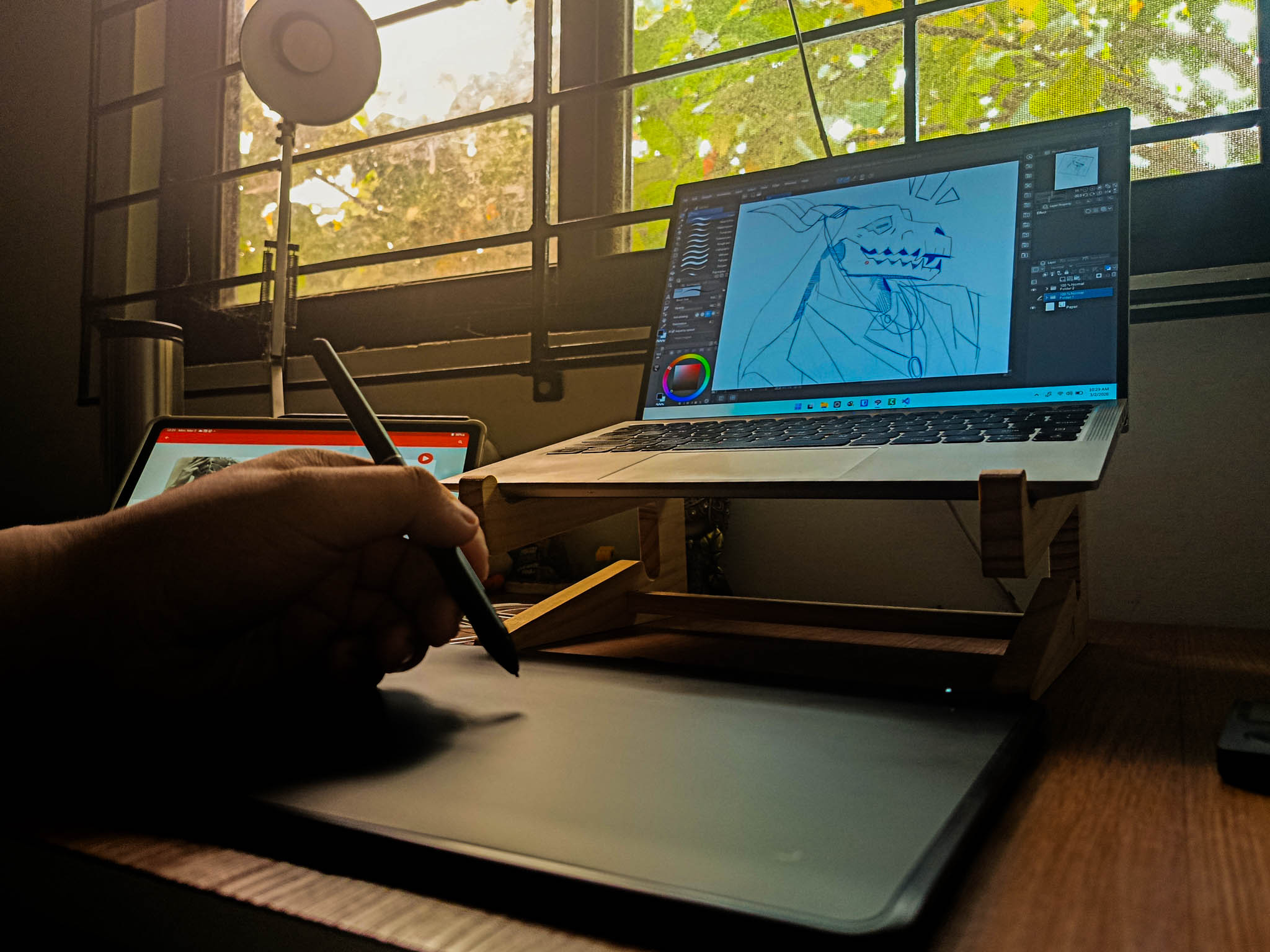
The Huion Inspiroy Frego M is a solid, competent, and reliable drawing tablet. Including a wireless Bluetooth solution for on-the-go workflows is very elegant, especially when considering the price. Aside from the caveats of getting things working on Android and Linux, along with my nitpicks, if these don’t apply to you, there’s nothing to complain about.
I got mine for PHP 2,950 (or just over USD 50) through a discount sale from Shopee PH. Which I thought was already reasonable, but when looking at other platforms such as Amazon, I see it being sold for PHP 5,772 (or exactly USD 99.99). Price will vary depending on the time or day; here in Shopee PH, it stabilises at PHP 3,500. Just snag one if you get it at a reasonable discount. In my opinion, it’s quite a steal.
If you’re looking for competing tablets in this price range, XP-Pen’s Deco LW tablets are a common recommendation. It’s slightly pricier on Shopee PH, but you do get shortcut keys and multiple colorways, a worthwhile trade-off if the lack of shortcut keys and the no-frills matte black finish of the Inspiroy Frego M doesn’t appeal to you.
For Disclosure
Four months with the Inspiroy Frego M, purchased with my own money. No editorial input from external parties have been made unless stated.